
 Български
 Čeština
 中文
中文 Dansk
Dansk Nederlands
 Eesti
Eesti Suomi
Suomi Français
 Deutsch
 Ελληνικά
 Magyar
 Italiano
 Latviešu
 Lietuvių
 Malti
Malti Polski
 Português
 Română
 Slovenčina
 Slovenščina
 Español
 Svenska
 Hrvatski
 Srpski
 Српски
 Bosanski
 Русский
 Türkçe
 Català
 Cymraeg
 Gaeilge
 Íslenska
 Lëtzebuergesch
 Македонски
 Norsk
NorskHow to Embed an Online Shop into Your Existing Website with Shopwidget
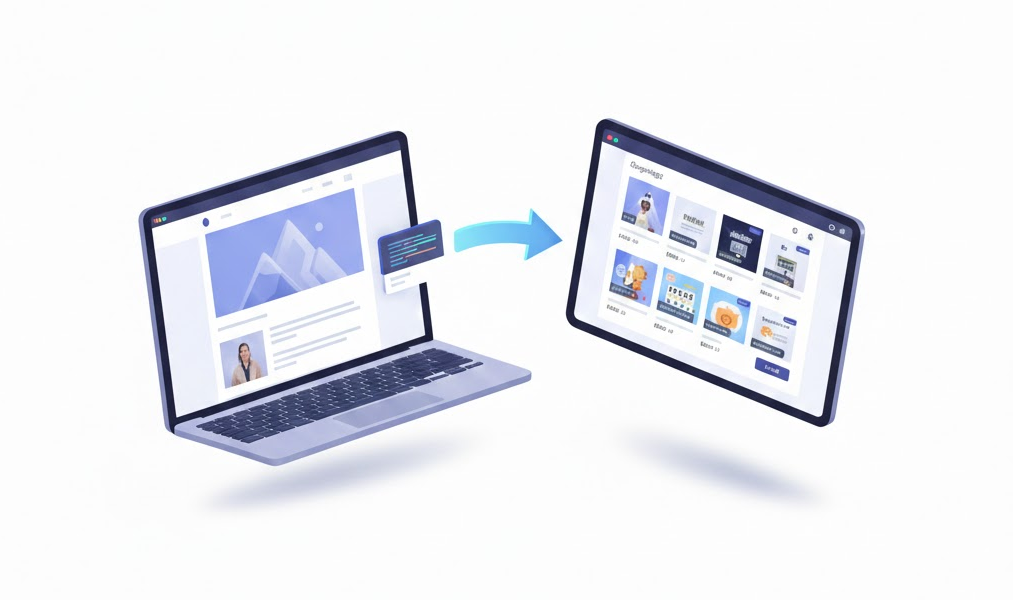
Running a small or medium business? Wild ride, right? You’ve got like a million things on your plate. You probably already have a website that works—it's doing its job—but honestly, with everyone shopping online these days, it might be time to consider how to cash in on that without doing a full-blown overhaul. Enter Shopwidget. This tool is a game-changer. It allows you to embed an online shop right into your existing site, and it's easier than you think.
Why You Need E-Commerce Integration
Let’s be real here. If you already have a website, you’re halfway there. Why not turn that site into a sales powerhouse? I mean, customers are online shopping more than ever, and if you’re not in that game, you’re missing out big time.
I've seen it all. Clients struggling with traditional e-commerce solutions—crazy redesigns, sky-high costs, and it turns into a whole thing. Not everyone can shell out for a developer to do a complete site overhaul. Trust me, Shopwidget comes to the rescue here. Lightweight, adaptable, and easy to plug into your existing site—no headaches.
What Exactly is Shopwidget?
So, what’s the deal with Shopwidget? It's like your secret weapon for adding e-commerce capabilities without the fuss. You can integrate products, categories, and even a smooth checkout process into your current website with this nifty little widget. Perfect for local shops, restaurants, or any service provider looking to expand their reach, you know?
Key Features That Make Shopwidget Stand Out
-
Works Anywhere: Got a blog, portfolio, or a static site? No worries. Shopwidget fits right into any of them. No redesign? No problem!
-
Easy Peasy Setup: I’m talking super simple. Seriously, you won’t have to throw money at developers or stress over a bunch of tech jargon.
-
Lightweight and Fast: Unlike those heavy platforms that can slow down your site, Shopwidget keeps things snappy. That’s a win for SEO and user experience right there.
-
Budget-Friendly: For just €25 a month, you get a solid e-commerce setup with zero hidden fees. Honestly, you can't beat that.
-
Automatic Integration: Your products and categories sync up without you lifting a finger. You can focus on selling instead of getting tangled up in settings.
Embedding Shopwidget in Your Website: A Step-by-Step Guide
Step 1: Sign Up for Shopwidget
First things first—head over to the Shopwidget website and sign up. It’s a breeze—no long forms or wild requirements. Once you’re in, your dashboard is ready to roll.
Step 2: Set Up Your Products
Log in and it’s time to add your products. Super straightforward, just fill in the basics like names, prices, descriptions, and images. Don’t forget to categorize everything. Makes it easier for customers to find what they want, which is key.
Step 3: Customize Your Widget
Now let’s make it look good! You can tweak colors, fonts, and layouts to match your site’s vibe. Consistency is crucial for building your brand, you know?
Step 4: Embed the Code
Once your widget looks sharp, Shopwidget generates a code snippet. This is where you’ll paste that into your site’s HTML where you want the shop to pop up. Easy peasy, right?
Step 5: Test Everything Out
Before launching, test your shop thoroughly. Check all the links, make sure the products display correctly, and that the checkout process is smooth. You don't want to launch something clunky—it’s a real buzzkill.
Step 6: Launch and Get the Word Out
All set? Time to launch! Promote your new online shop through social media, email, or right on your website. Get the excitement going!
Why Shopwidget Is a Smart Choice
You might be thinking, “Why go for Shopwidget over other platforms?” Here’s the thing: it’s cost-effective. Many e-commerce solutions hit you with hefty fees or extra costs for plugins. With Shopwidget, it’s just a clear pricing structure at €25 a month.
Let’s talk performance. The lightweight nature of Shopwidget keeps your website fast, which is crucial—both for user experience and for your SEO rankings. Plus, automatic product integration means more time for what really matters—increasing sales and keeping your customers happy.
Adding an online shop to your existing website doesn’t have to be an uphill battle. With Shopwidget, you can do it smoothly and affordably. Follow these simple steps, and you'll have an e-commerce platform up and running in no time, ready to satisfy those customer needs.
For small and medium businesses, this kind of integration is a total game changer. You can dive into the online shopping trend without all the usual complexities.
And honestly, if I can do it, you can too. Go ahead and kick things off—Get Started with Shopwidget today!
Ready to get started with Shopwidget?
Join thousands of businesses that have already simplified their e-commerce with Shopwidget.
Frequently Asked Questions
-
How much does Shopwidget cost?Shopwidget costs €25 per month with no hidden fees, making it an affordable option for small and medium businesses.
-
Do I need technical skills to set up Shopwidget?No, Shopwidget is designed for easy setup, requiring no extensive technical knowledge. You can embed it into your site with a simple code snippet.
-
Can I customize the look of the Shopwidget?Yes, Shopwidget allows you to customize the appearance of your widget to match your brand, including colors and layouts.
-
Will embedding Shopwidget affect my website's performance?No, Shopwidget is lightweight and designed to integrate seamlessly without slowing down your website.
-
What types of businesses can benefit from Shopwidget?Shopwidget is ideal for small and medium businesses, including restaurants and online shops, looking to add e-commerce functionality to their existing websites.