
 Български
 Čeština
 中文
中文 Dansk
Dansk Nederlands
 Eesti
Eesti Suomi
Suomi Français
 Deutsch
 Ελληνικά
 Magyar
 Italiano
 Latviešu
 Lietuvių
 Malti
Malti Polski
 Português
 Română
 Slovenčina
 Slovenščina
 Español
 Svenska
 Hrvatski
 Srpski
 Српски
 Bosanski
 Русский
 Türkçe
 Català
 Cymraeg
 Gaeilge
 Íslenska
 Lëtzebuergesch
 Македонски
 Norsk
NorskHow to Add a Shopping Cart to My WordPress/HTML Site
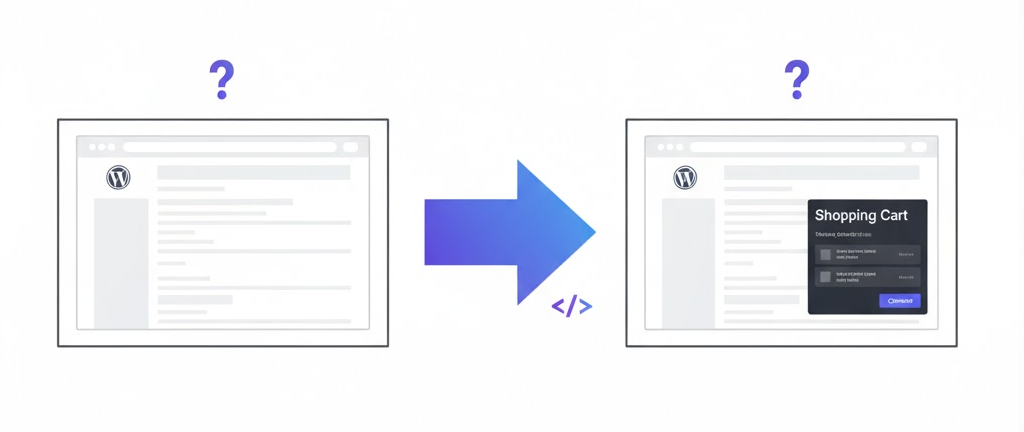
In today's digital landscape, having an e-commerce solution is essential for businesses looking to expand their reach and increase sales. If you're wondering how to add a shopping cart to your WordPress or HTML site, you’re not alone. Many small and medium businesses, as well as restaurants and online shops, face this challenge. Fortunately, there is a straightforward solution: Shopwidget. This article will explore how Shopwidget can seamlessly integrate a shopping cart into your existing website without the need for a complete redesign.
Understanding the Need for a Shopping Cart
Before we delve into how to add a shopping cart to your website, let’s understand why it’s crucial. A shopping cart is not just a feature; it's a vital component of any e-commerce site. It allows customers to select products they wish to purchase, manage their selections, and proceed to checkout. Without a shopping cart, your website cannot facilitate transactions, which limits your ability to generate revenue.
The Challenges of Adding a Shopping Cart
Businesses often face multiple challenges when trying to implement a shopping cart on their websites:
- Technical Complexity: Many solutions require extensive coding or development skills, which can be a barrier for small business owners.
- Cost: Many e-commerce platforms come with high setup fees and ongoing costs that may not be feasible for smaller operations.
- Integration Issues: Some solutions may not work well with existing websites, requiring a complete redesign or extensive modifications.
These challenges can deter business owners from pursuing an online sales strategy. However, with the right solution, adding a shopping cart can be a manageable process.
Introducing Shopwidget: The Ideal Solution
Shopwidget is a lightweight e-commerce solution designed specifically for small and medium businesses. It allows you to integrate a shopping cart into your existing WordPress or HTML site without the need for a complete redesign. Here’s how Shopwidget can help you overcome the challenges mentioned above.
1. Works on Any Existing Website
One of the standout features of Shopwidget is its compatibility with any existing website. Whether you’re using WordPress, HTML, or any other platform, Shopwidget can be integrated smoothly. This means you don’t have to worry about altering your website’s design or functionality. Simply add the Shopwidget code, and you’re ready to go.
2. Fast and Simple Setup
Shopwidget is designed for ease of use. The setup process is straightforward and does not require expensive developers or extensive technical knowledge. In just a few steps, you can have your shopping cart up and running. For example, a small restaurant can quickly add a menu and integrate a checkout system without the hassle of complicated coding.
3. Affordable Pricing
For just €25 a month, Shopwidget offers a cost-effective solution for businesses. There are no hidden fees or unexpected costs, making it easy to budget for your e-commerce needs. This is particularly advantageous for small and medium businesses that may be operating on tight margins.
4. Fully Adaptable and Lightweight
Unlike heavier e-commerce platforms such as Shopify or Magento, Shopwidget is designed to be lightweight and adaptable. This means it won’t slow down your website, ensuring a smooth user experience for your customers. Fast-loading sites are crucial for retaining visitors and reducing bounce rates, which can directly impact your sales.
5. Automatic Product and Checkout Integration
Shopwidget automatically integrates products, categories, and checkout features into its lightweight widget. This saves you time and effort, allowing you to focus on what matters most: running your business. For instance, if you run an online shop, you can easily add new products and manage your inventory directly through the Shopwidget interface.
Step-by-Step Guide to Adding Shopwidget to Your Site
Now that we’ve established the benefits of Shopwidget, let’s walk through the steps to add it to your WordPress or HTML site.
Step 1: Sign Up for Shopwidget
Visit the Shopwidget website and sign up for an account. The process is quick and straightforward, requiring minimal information.
Step 2: Configure Your Shopwidget Account
Once you’ve created an account, you can start configuring your Shopwidget settings. This includes adding your products, setting up categories, and customizing the checkout process to align with your business needs.
Step 3: Integrate Shopwidget into Your Website
After configuring your account, you will receive a code snippet from Shopwidget. Here’s how to integrate it:
-
For WordPress:
- Log in to your WordPress dashboard.
- Go to the section where you want to add the shopping cart (e.g., a page or a widget area).
- Use the HTML block to insert the Shopwidget code snippet.
- Save your changes.
-
For HTML Sites:
- Open the HTML file where you want to place the shopping cart.
- Paste the Shopwidget code snippet in the desired location.
- Save the file and upload it back to your server.
Step 4: Test Your Shopping Cart
Once you’ve integrated Shopwidget, it’s essential to test the shopping cart functionality. Navigate to your website and ensure that products can be added to the cart, and that the checkout process works seamlessly. This step is crucial for providing a positive user experience.
Step 5: Promote Your New Shopping Cart
Now that your shopping cart is live, it’s time to promote it. Use your existing marketing channels, such as social media, email newsletters, and your website, to inform customers about the new shopping capabilities. Highlight any special promotions or features that may attract buyers.
Conclusion
Adding a shopping cart to your WordPress or HTML site doesn’t have to be a daunting task. With Shopwidget, you can easily integrate a fully functional e-commerce solution that works with your existing website. Its affordability, ease of use, and adaptability make it an ideal choice for small and medium businesses looking to enhance their online sales capabilities.
If you’re ready to take the next step and add a shopping cart to your site, Get Started with Shopwidget today!
\nReady to get started with Shopwidget?
Join thousands of businesses that have already simplified their e-commerce with Shopwidget.
Frequently Asked Questions
-
How do I add a shopping cart to my WordPress site?Simply copy and paste the Shopwidget code into an HTML block on your WordPress site where you want to display the cart.
-
Does Shopwidget work on HTML sites?Yes, Shopwidget works on all websites including static HTML pages, WordPress, and other platforms.
-
How much does adding a shopping cart cost?Shopwidget costs only �25 per month with no hidden fees for a fully functional cart and shop.
-
Do I need to be a developer for setup?No, it's just copy and paste the code - no technical skills or developer assistance required.
-
What features does the shopping cart include?The cart includes product management, checkout processes, order tracking, and all essential ecommerce features.